AI Use-Case Canvas — Document Your AI Use Case in a Structured Way
AI ideas often live only in heads and slide decks — without a shared structure, business, IT and compliance talk past each other. A canvas makes value, data, risks and required components visible to everyone.
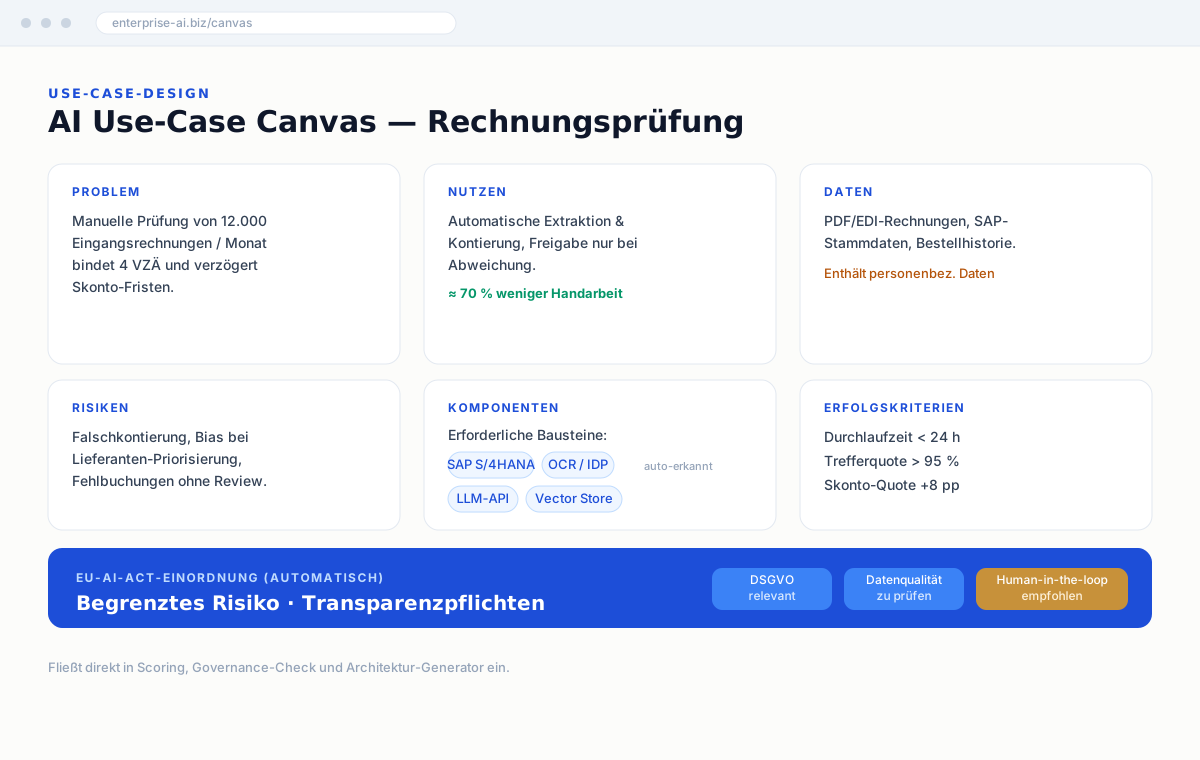
At a glance
- A clear template from problem to value, data, risks and success criteria
- Automatic detection of technologies and components from your description
- A first compliance classification: detected frameworks such as GDPR, the EU AI Act, NIS-2 or ISO 27001, plus hints on EU hosting, health or financial data. The canvas does not determine the EU AI Act risk class
- A basis that scoring, governance and architecture reuse directly
What you get, specifically
In the canvas
- Eight fields: problem, AI solution, data sources, stakeholders, KPIs & success criteria, risks & governance, technical architecture and next steps
- Assignment to your archetype: AI Starter, AI Scaler or AI Transformer
- Context analysis without an AI call: detected platforms, the AI type of the use case and relevant regulations from your text
- If an employment context is detected, a classification under Art. 6 of the EU AI Act via four yes/no questions
- Matching components from the component catalog for the detected platform
- The architecture generator and Compliance Center pick up detected signals directly, without re-entering them
With Pro
- PDF export of the canvas
- AI analysis: use-case type, industry, quadrant, complexity and infrastructure hints, visibly labeled as AI-generated
- Save versions of the canvas
- Sharing via link with people who have no account
Who it is for
For business units, IT and compliance who discuss the same AI use case and need a shared basis before anything is scored, reviewed or built. The canvas records value, data, risks and components so that use-case scoring, the governance check and the architecture generator can build on it directly.
Free vs. Pro
- Fill in the full canvas
- Component & compliance detection
- Save canvas (limited per day)
- Save & version your canvas
- PDF export & sharing link
- Manage multiple canvases
Try it now — free
Create a free account and run the tool in minutes. Saving is included for free, with a limited number per day. Upgrade to Pro when you want to save without a daily limit, keep versions, create PDF reports or share via link.
Start for freeFAQ
Why do I need an AI use-case canvas?
To make an AI idea assessable and actionable: the canvas captures value, data, risks and components so that business, IT and compliance work from the same basis.
Does the canvas detect technologies automatically?
Yes. From your description the canvas detects components and vendors and classifies them — this later feeds the architecture generator.
Can I document multiple use cases?
Yes. With a Pro account you manage and compare any number of canvases; for free you fill in one canvas completely.
Related guides
The AI Business Case
An AI business case answers four questions in a fixed order. Per Deloitte (2025), only 6% report payback in under a year — honest timelines beat enthusiasm.
AI Maturity
Three archetypes summarize AI maturity: Starter, Scaler, Transformer. Plus a 5-level maturity model with measurable criteria instead of gut feeling.